Author: Shannon Lewis

  • How TurboTax SMS Scams Exploit Tax Season Urgency

    How TurboTax SMS Scams Exploit Tax Season Urgency

    That TurboTax SMS looked legitimate until the domain check returned nothing. By then, someone on your finance team had already clicked.

    Tax season creates a window where smishing attacks bypass standard verification. Domains disappear before IT teams validate them. Search engines return conflicting results. Filing deadlines override security training.

    The gap between user behavior and validation infrastructure widens when urgency spikes.

    Why This Matters Now

    Tax season drives smishing volume. Attackers impersonate trusted financial brands like TurboTax using domains designed to pass quick visual checks. The ttax.us domain mimics legitimate shorthand while hosting credential theft payloads.

    When domains are taken down within hours of deployment, post-incident validation becomes impossible. Your team reports suspicious SMS, IT runs Whois queries, and the results show an inactive domain. Without context, you cannot confirm whether the link was malicious or if the user misread the message.

    Search engine verification introduces new risk. Different platforms return contradictory results for the same query. Bing initially failed to flag ttax.us as fraudulent, while Google and Microsoft CoPilot correctly identified it as a scam. Users attempting to verify legitimacy face conflicting intelligence from tools they trust.

    Filing deadlines compress decision windows. Employees receiving texts during peak tax season operate under time pressure that reduces scrutiny. Your phish-prone percentage rises when urgency overrides training protocols designed for low-stress scenarios.

    Three Strategic Gaps Exposed

    Validation Infrastructure Lags Threat Lifecycle

    Domain takedowns occur faster than internal reporting workflows. When a user forwards a suspicious SMS to IT, the malicious infrastructure may already be offline. Whois queries return invalid registrations, and browser blocking confirms the domain is dead.

    • IT cannot determine payload type without live access to the fraudulent site
    • Post-incident analysis relies on screenshots and user testimony instead of technical evidence
    • Rapid takedowns prevent correlation with other campaigns using similar tactics
    • Security teams lack forensic data to update detection rules or training scenarios

    Search Engine Verification Creates False Confidence

    Users trained to verify suspicious links through search engines encounter inconsistent results. Bing returned generic TurboTax information without scam warnings for ttax.us queries. Google and CoPilot flagged the domain correctly, but users typically consult one platform, not multiple.

    • Single-source verification fails when platforms index threats at different speeds
    • Official brand sites often lack real-time scam alerts during active campaigns
    • Users interpret absence of warnings as implicit validation rather than incomplete intelligence
    • Cross-referencing multiple sources adds friction that filing deadlines eliminate

    Urgency Erodes Training Effectiveness

    Tax season imposes external deadlines that conflict with deliberate security behavior. Employees know validation protocols but skip steps when facing filing cutoffs. The cost of delayed action feels higher than the risk of clicking a fraudulent link.

    • Training designed for normal operating conditions does not account for seasonal stress
    • Simulations conducted outside peak periods fail to replicate real decision pressure
    • Phish-prone percentage metrics collected in January may not predict April behavior
    • Users rationalize risk when brand impersonation aligns with expected seasonal communication

    The Strategic Shift Required

    Traditional domain validation assumes threats persist long enough for verification workflows to complete. Tax season smishing collapses that timeline. Security programs must measure human risk under conditions that mirror actual attack timing.

    Browser and ISP blocking provide last-mile defense, but they activate after the click. By the time Edge or Chrome displays a warning, user behavior has already been tested. Your security posture depends on whether employees pause before clicking, not whether infrastructure stops payload delivery.

    Seasonal campaigns require seasonal measurement. Training programs that assess phish-prone percentages during low-stress periods generate metrics that do not reflect tax season vulnerability. Simulation timing must align with the urgency windows attackers exploit.

    • Deploy smishing simulations during actual tax season when urgency mirrors real attacks
    • Measure phish-prone percentage under deadline pressure, not controlled conditions
    • Update training scenarios to include search engine verification failures and domain takedown gaps
    • Build reporting workflows that capture behavior even when post-click validation is impossible

    How Security Awareness Training Addresses This

    KnowBe4 Security Awareness Training includes smishing simulation capabilities designed to test user behavior during high-urgency periods. The Phishing Security Test measures phish-prone percentage by deploying realistic SMS campaigns that mirror tax season tactics.

    • Validation Infrastructure Lags Threat Lifecycle: Simulations establish baseline behavior before live campaigns expose employees, allowing security teams to identify high-risk users without relying on post-incident forensics from takedown-affected domains.
    • Search Engine Verification Creates False Confidence: Training modules address multi-source verification gaps by demonstrating how different platforms return conflicting results, teaching users to escalate rather than self-validate when search engines disagree.
    • Urgency Erodes Training Effectiveness: Phish-prone percentage measurement during tax season reveals which employees bypass protocols under deadline pressure, enabling targeted intervention for users who perform well in controlled tests but fail during seasonal stress.

    Who This Is For

    • CISOs managing human risk during seasonal threat spikes
    • IT managers deploying mobile device security policies for SMS-based attacks
    • Security operations teams correlating smishing incidents with training gaps
    • Compliance managers documenting workforce readiness during tax season

    Call to Action

    Measure your phish-prone percentage before the next tax season campaign tests your team under pressure. Visit the Free Phishing Test page

    FAQ

    What is smishing and how does it differ from phishing?
    Smishing uses SMS text messages instead of email to deliver fraudulent links. Tax season smishing impersonates financial brands like TurboTax, exploiting mobile devices where domain validation is harder and urgency is higher.

    Why do domain checks fail during tax season scams?
    Malicious domains like ttax.us are taken down within hours of deployment. By the time users report suspicious texts and IT runs Whois queries, the infrastructure is already offline, leaving no technical evidence for validation.

    How do search engines contribute to verification gaps?
    Different platforms index threats at different speeds. Bing initially failed to flag ttax.us as fraudulent while Google and CoPilot returned accurate warnings. Users consulting a single source may receive incomplete intelligence.

    What is phish-prone percentage and why does it matter during tax season?
    Phish-prone percentage measures the portion of your workforce likely to click fraudulent links. This metric spikes during tax season when filing deadlines create urgency that overrides standard security training, revealing gaps that controlled simulations miss.


  • How Phishing Simulations Reveal Hidden Human Risk

    How Phishing Simulations Reveal Hidden Human Risk

    Your phishing training passed, but did behavior actually change?

    Completion rates look reassuring. Everyone passed. Awareness scores climbed. Then a wire transfer request slips through, someone clicks, and the post-mortem reveals 30% of your team would have fallen for the same lure.

    Most organizations run training once, check the box, then discover months later that behavioral risk hasn’t moved. Without repeatable testing cadence tied to feedback loops, you’re measuring attendance, not decision-making under pressure.

    Phishing simulations exist to close that gap.

    Why This Matters Now

    Phishing remains the dominant initial access vector because it exploits decision-making in moments of distraction, urgency, or role-based predictability. Attackers don’t wait for training cycles to finish. They test lures in real time, adapt based on what works, and return with variations before your last quarterly training session is even scheduled.

    Organizations using security awareness training integrated with phishing simulations report an 86% reduction in click rates over 12 months. Baseline phish-prone percentages commonly start near 33.1% before structured programs begin. After consistent testing and training, that figure drops to 4.1%.

    The reduction doesn’t come from one-time campaigns. It comes from repeatable testing cadence that tracks behavior, surfaces risk patterns by role and lure type, and triggers targeted training when users interact with simulated phishing attacks.

    Canadian enterprises operating in regulated environments need measurable behavioral improvement, not static compliance documentation. Phishing simulations provide the behavioral feedback required to justify program investment and demonstrate risk reduction over time.

    Three Strategic Gaps Exposed

    Annual Testing Measures Awareness, Not Behavior Under Pressure

    Single-campaign testing identifies users who recognize obvious red flags during scheduled exercises. It doesn’t reveal who clicks when a realistic lure arrives during a high-pressure moment or when attackers impersonate trusted internal contacts.

    • Users learn to spot the test, not the threat
    • Behavioral patterns triggered by urgency, authority, or curiosity remain unmeasured
    • Risk visibility disappears between annual testing windows
    • Program effectiveness cannot be validated without longitudinal data

    Role-Based Risk Patterns Remain Invisible Without Granular Tracking

    Finance teams click wire transfer requests. IT staff respond to password reset prompts. Executive assistants open calendar invitations from external senders. These patterns are predictable, role-specific, and exploitable.

    • Generic training doesn’t address role-specific lure susceptibility
    • Aggregated metrics obscure high-risk roles and departments
    • Attackers target roles based on access and authority, not random selection
    • User interaction tracking by lure type reveals which scenarios trigger risky behavior

    Static Programs Fail When Attacker Tactics Shift

    Reduced click rates validate program effectiveness until attackers change tactics. Internal impersonation now dominates phishing campaigns. Microsoft accounts for 22.9% of impersonated brands. If your simulation library hasn’t adapted to reflect those trends, your testing no longer mirrors real-world risk.

    • Predictable test scenarios become easy to recognize over time
    • Users pass simulations but fail when attackers introduce novel lures
    • AI-driven phishing tools generate contextual lures faster than manual testing programs adapt
    • Without adaptive testing that evolves with attacker techniques, programs lose effectiveness

    The Strategic Shift Required

    Security leaders must reframe phishing simulations as continuous behavioral measurement, not periodic compliance exercises. The goal is not to trick users. The goal is to identify human-driven risk before attackers exploit it, then close behavioral gaps through targeted training.

    This requires moving from single-campaign testing to repeatable testing cadence integrated with security awareness training. Simulations should mirror current attacker tactics, track user interactions (clicks, credential entry, reporting), and trigger immediate feedback loops that reinforce correct behavior.

    Baseline testing establishes your organization’s phish-prone percentage. Repeatable campaigns measure behavioral change over time. Adaptive testing ensures simulations evolve as attacker techniques shift. Behavioral feedback loops tie testing directly to training, creating measurable improvement cycles.

    • Establish baseline phish-prone percentage before launching structured programs
    • Deploy simulations monthly or quarterly to maintain visibility into behavioral risk
    • Track results by role, department, and lure type to surface patterns
    • Use AI-driven adaptive testing to ensure simulation difficulty matches real-world threat evolution
    • Integrate testing with training so risky behavior triggers immediate reinforcement

    How Security Awareness Training Addresses This

    KnowBe4 Security Awareness Training integrates phishing simulations with measurement and behavioral feedback loops designed to reduce human risk management gaps.

    • Annual Testing Measures Awareness, Not Behavior Under Pressure: Repeatable phishing simulation campaigns track user behavior over time, surfacing role-based risk patterns and validating training effectiveness through longitudinal phish-prone percentage measurement.
    • Role-Based Risk Patterns Remain Invisible Without Granular Tracking: User interaction tracking identifies which lure types and scenarios trigger risky behavior by role and department, enabling targeted training for high-risk groups.
    • Static Programs Fail When Attacker Tactics Shift: AI-powered adaptive testing evolves simulation difficulty and lure selection to mirror current attacker techniques, ensuring testing remains relevant as threats change.

    Who This Is For

    • CISOs measuring human risk management program effectiveness in enterprise environments
    • IT managers deploying phishing simulations across 100+ users with Microsoft 365 or cloud collaboration tools
    • Security operations managers tracking behavioral risk reduction over time
    • Compliance managers validating awareness training effectiveness for regulatory reporting

    Call to Action

    See how KnowBe4 Security Awareness Training tracks behavioral risk and reduces phish-prone percentages through repeatable simulation programs. Visit https://content.optrics.com/knowbe4-hrm-plus

    FAQ

    What is phish-prone percentage and why does it matter?
    Phish-prone percentage measures the portion of users who interact with simulated phishing attacks by clicking links, entering credentials, or opening attachments. It provides a baseline for human-driven risk and tracks behavioral improvement over time. Organizations commonly start near 33.1% and reduce to 4.1% after 12 months of consistent testing and training.

    How often should phishing simulations run?
    Monthly or quarterly cadence maintains visibility into behavioral risk and ensures users encounter varied lure types before attackers deploy similar tactics. Annual testing only captures awareness during scheduled windows and misses behavioral patterns triggered by real-world urgency or role-specific scenarios.

    How do phishing simulations differ from one-time awareness training?
    Simulations measure behavior under conditions that mirror real attacks. Training provides knowledge. Simulations validate whether that knowledge translates into correct decision-making when users encounter realistic lures in their inboxes. Repeatable testing cadence tracks improvement and surfaces gaps that static training misses.

    What role does AI play in phishing simulation programs?
    AI-driven adaptive testing adjusts simulation difficulty and lure selection based on user behavior and current attacker tactics. This ensures simulations remain realistic as phishing techniques evolve and prevents users from recognizing predictable test patterns that don’t reflect real-world threat conditions.

  • When TLS Padlocks Fail Your Phishing Defense

    When TLS Padlocks Fail Your Phishing Defense

    Still Trusting That Padlock Icon in Your Browser Bar?

    Over half of phishing websites now deploy TLS encryption. They display that reassuring padlock. They mirror the branded login page your team visits daily.

    Your employees have been trained to look for HTTPS. They check for the padlock before entering credentials. That training just became a liability.

    Attackers know what your awareness program teaches. They secure certificates, register lookalike domains, and wait for users who trust visual cues more than URL structure.

    Why This Matters Now

    Phishing simulations reveal a consistent pattern. More than half of employees open phishing emails when they land in the inbox. Nearly a quarter proceed to enter credentials or sensitive data on fraudulent sites.

    Email security gateways filter known threats, but phishing websites evolve faster than signature databases. Attackers rotate domains, vary content, and exploit brand trust during high-pressure moments like password resets or invoice approvals.

    The Canadian Centre for Cyber Security continues to report credential theft as a primary attack vector. Organizations that rely on perimeter controls without addressing human risk management leave the most exploited pathway undefended.

    TLS adoption by phishing sites represents a strategic shift. Attackers no longer look suspicious at first glance. They look legitimate until someone examines the URL, checks domain registration dates, or notices subtle content inconsistencies.

    Three Strategic Gaps Exposed

    Surface Trust Over Structural Validation

    Employees scan for visual legitimacy markers instead of inspecting the actual domain. A padlock signals encryption in transit, not authenticity of the destination.

    • Users conflate HTTPS with trustworthiness, ignoring character substitutions or additional subdomains in the URL
    • Training that emphasizes “look for the padlock” inadvertently primes users to stop there
    • Attackers register domains like secure-accountverify.com or login-microsoft365.net, both capable of obtaining valid TLS certificates
    • Phish-prone percentages remain high when validation stops at encryption presence

    Redirect Chains and Link Obfuscation

    Shortened URLs and multi-hop redirects mask final destinations until after the click. By then, browser history and potential malware delivery are already in motion.

    • Link shorteners common in legitimate marketing campaigns provide cover for phishing infrastructure
    • Mobile interfaces truncate URLs, making character-level inspection nearly impossible without additional interaction
    • Redirect chains can pass through compromised legitimate sites, lending false credibility to the final fraudulent page
    • Email security tools that analyze links at delivery time miss redirects activated only after a delay or based on geolocation

    Domain Age and Registration Opacity

    Hundreds of new domains register daily, many for legitimate purposes. Phishing operations hide among them, counting on users who never question how long a domain has existed.

    • Domain registration services offer privacy protection that obscures ownership details in WHOIS lookups
    • Newly registered domains can obtain TLS certificates within minutes, appearing established at first inspection
    • Attackers abandon domains after short campaigns, rotating faster than blocklists update
    • Organizations without processes to verify domain age before credential entry face repeated exposure

    The Strategic Shift Required

    Securing the human layer means moving beyond binary safe-or-unsafe training. Employees need contextual decision frameworks that apply across varying scenarios, not memorized checklists that attackers design around.

    Effective programs measure behavior under realistic conditions. Phishing Security Tests simulate actual attack patterns, revealing which users click through despite training and which recognize manipulation attempts before damage occurs.

    Detection capabilities must extend beyond email arrival. Users need tools to report suspicious sites in real time, creating feedback loops that inform broader security posture and threat intelligence.

    • Shift training from feature recognition to behavioral skepticism during credential requests
    • Implement reporting mechanisms that capture phishing websites post-click, not just suspicious emails
    • Measure reduction in phish-prone percentages over time, adjusting content based on persistent gaps
    • Integrate domain analysis into user workflows without requiring technical expertise

    How Security Awareness Training Addresses This

    KnowBe4 Security Awareness Training builds detection capabilities through repeated exposure to realistic phishing scenarios. Simulations mirror current attack techniques, including TLS-enabled fake sites and branded impersonation.

    • Surface Trust Over Structural Validation: Training modules demonstrate URL inspection techniques, highlighting common character substitutions and domain structure red flags that persist even when TLS is present
    • Redirect Chains and Link Obfuscation: The Phish Alert Button allows users to report suspicious links directly from their email client, flagging potential threats before widespread clicks and enabling security teams to analyze redirect behavior
    • Domain Age and Registration Opacity: Social Engineering Indicators embedded in simulated landing pages teach users to question urgency tactics and verify requests through independent channels, reducing reliance on domain appearance alone

    Who This Is For

    • CISOs managing enterprise human risk management programs in regulated industries
    • IT managers tasked with reducing phish-prone employee percentages across distributed teams
    • Security engineers integrating user reporting tools with threat intelligence platforms
    • Compliance managers meeting training requirements that mandate measurable security awareness outcomes

    Call to Action

    See which phishing websites your team clicks before credentials get compromised. Visit https://content.optrics.com/knowbe4-hrm-plus

    FAQ

    Does TLS encryption mean a phishing website is less dangerous?
    No. TLS encrypts data in transit but does not authenticate the recipient. Attackers obtain valid certificates for fraudulent domains, making encrypted phishing sites common.

    How do phishing simulations reduce risk beyond one-time training?
    Simulations create repeated exposure to evolving tactics. They measure which users remain phish-prone after training and adjust content to address persistent gaps, building long-term behavioral change.

    What happens when an employee clicks a simulated phishing link?
    The user lands on a training page explaining the red flags they missed. This immediate feedback reinforces learning without real-world consequences. Security teams receive data on click rates and phish-prone percentages to target further training.

    Can employees report phishing websites they encounter outside of simulations?
    Yes. The Phish Alert Button integrates with email clients, allowing users to flag suspicious messages and links in real time. Reported sites feed into security workflows for analysis and potential blocking.

  • Why Misdirected Emails Fire Employees and Lose Clients

    Why Misdirected Emails Fire Employees and Lose Clients

    Ever Fired Someone Over a Single Email Mistake?

    Most terminations after a data loss incident happen because your team had no system watching for the mistake. By the time someone realizes client data went external, you’re choosing between your employee and your reputation.

    Research surveying IT leaders found that serious breaches frequently lead to individual consequences. Among those facing discipline, nearly half received warnings, over a quarter were terminated, and another quarter faced legal action.

    The decision to fire isn’t about punishment. It’s about liability containment when regulators or clients demand accountability.

    Why This Matters Now

    Email remains the dominant vector for accidental data exposure. A substantial majority of organizations report experiencing data at risk via email, with over a third suffering reputation damage.

    Client churn follows predictably. When sensitive data reaches unintended recipients, trust erodes fast. Many organizations report client litigation or contract termination after email breaches.

    Canadian privacy regulations add complexity. Federal and provincial laws impose strict breach notification and data handling requirements. Misdirected emails containing personal information trigger mandatory reporting, escalating what begins as a simple mistake into a compliance event.

    Training helps, but pressure breaks protocol. When deadlines loom or inboxes overflow, even diligent employees autocomplete the wrong recipient or attach the wrong file. The gap between knowing best practices and executing them under stress creates persistent exposure.

    Three Strategic Gaps Exposed

    External Recipients Escalate Faster Than Internal Protocols

    Once sensitive data leaves your organization, you lose control of the timeline. Recipients outside your domain don’t follow your incident response playbook. They escalate to their legal teams, regulatory contacts, or business partners.

    • Legal counsel often advises external recipients to document breaches immediately
    • Competitive pressures incentivize publicizing your security failures
    • Privacy regulators receive tips from affected parties before you file official notices
    • Client contracts frequently include breach notification clauses with tight deadlines

    Security Awareness Training Can’t Override Cognitive Load

    Employees understand email security principles. They fail to apply them when working under pressure, switching contexts, or managing urgent requests. Awareness doesn’t eliminate human error during high-stress workflows.

    • Quarterly training sessions don’t persist during inbox overload
    • Autocomplete suggestions override conscious recipient verification
    • Attachment selection errors increase when multitasking across projects
    • Blind Carbon Copy (BCC) misuse happens during rushed group communications

    File Attachments Create Silent Exposure Windows

    Teams assume they’ll catch sensitive attachments before sending. File names don’t always reveal content risk. Documents accumulate classification levels as they’re edited, making yesterday’s safe file today’s compliance violation.

    • Version control failures attach outdated files containing deleted sensitive sections
    • Collaborative documents inherit permissions and data from multiple sources
    • Spreadsheet tabs hide rows containing personal or financial information
    • PDF exports from internal systems embed metadata revealing system architecture

    The Strategic Shift Required

    Preventing misdirected email incidents demands moving enforcement upstream. Waiting until after send creates legal exposure and reputational damage that post-incident response can’t reverse.

    The shift centers on contextual intervention. Systems must evaluate recipient patterns, attachment sensitivity, and user behavior in real time without disrupting legitimate workflows. Alerts must trigger only when actual risk exists, not for every external email.

    This requires integrating Human Risk Management principles into email security architecture. Instead of treating all users identically, systems should adapt to individual behavior patterns and adjust intervention thresholds based on demonstrated risk profiles.

    • Deploy machine learning that adapts to user-specific email patterns over time
    • Implement context-aware alerts that evaluate recipient relationships and content sensitivity
    • Establish graduated intervention that escalates based on cumulative risk indicators
    • Integrate Data Loss Prevention (DLP) rules directly into send workflows rather than post-delivery scanning

    How Cloud Email Security Addresses This

    KnowBe4 Cloud Email Security applies Human Risk Management to outbound email decisions. The platform learns individual user patterns and flags deviations that indicate potential misdirection without blocking productivity.

    • External Recipients Escalate Faster Than Internal Protocols: Machine learning detects when recipients fall outside normal communication patterns and prompts verification before external data leaves your environment, preventing the loss of control that triggers rapid legal escalation.
    • Security Awareness Training Can’t Override Cognitive Load: Context-driven alerts intervene at the moment of highest risk without requiring users to recall training materials, adapting to behavior patterns rather than expecting perfect protocol adherence under pressure.
    • File Attachments Create Silent Exposure Windows: Automated detection evaluates attachment content and metadata against user sending patterns, catching sensitive files that names or manual review would miss while avoiding false positives on routine documents.

    Who This Is For

    • Chief Information Security Officers (CISOs) managing enterprise email risk and compliance obligations
    • IT Managers responsible for protecting sensitive data across Outlook and Gmail environments
    • Security Engineers implementing DLP and Human Risk Management capabilities
    • Compliance Managers navigating federal and provincial privacy requirements in Canada

    Call to Action

    See how Cloud Email Security adapts to your team’s behavior patterns before mistakes become incidents. Visit https://content.optrics.com/knowbe4-hrm-plus

    FAQ

    What percentage of organizations experience email data risk?
    Research indicates that a substantial majority of organizations report experiencing data at risk via email, with over a third suffering reputation damage as a result.

    How does context-driven detection differ from traditional DLP?
    Traditional DLP applies uniform rules across all users. Context-driven detection adapts to individual sending patterns, relationship histories, and content sensitivity, reducing false positives while catching genuine risks that static rules miss.

    Can email security systems prevent mistakes without slowing productivity?
    Machine learning platforms analyze user behavior to establish normal patterns. Alerts trigger only when deviations indicate actual risk, avoiding the productivity drain of constant prompts while maintaining protection.

    What happens to employees after serious email breaches?
    A significant majority of serious breaches lead to individual action. Among those disciplined, roughly half receive warnings, over a quarter face termination, and another quarter encounter legal consequences.

  • Why Siloed Security Tools Caused 2025’s Biggest Breaches

    Why Siloed Security Tools Caused 2025’s Biggest Breaches

    Jaguar Land Rover lost two billion dollars because attackers exploited a password from 2021. The credential sat dormant in a system no one thought to revoke, giving attackers access to unpatched machines across the network.

    By the time the breach was detected, compromised accounts had moved laterally for weeks. Identity tools, patch management, and threat detection existed in separate silos, each blind to what the others saw.

    That pattern repeated across every major breach in 2025.

    Why This Matters Now

    Most security architectures evolved as a collection of point solutions. Identity tools verify logins. Patch management closes vulnerabilities. Threat detection flags anomalies. Each layer operates independently.

    Attackers exploit the gaps between them. A stolen credential becomes useful only when paired with an unpatched endpoint. Misconfigured access persists because no single system tracks who left and what permissions remain active.

    When Marks & Spencer, Qantas, Coinbase, and Red Hat disclosed breaches, the root cause in each case involved credentials that bypassed controls because no unified platform correlated identity, patching status, and endpoint behavior in real time.

    The question for IT security managers is no longer whether silos create risk. It is whether your environment can detect and respond to credential abuse before lateral movement begins.

    Three Strategic Gaps Exposed

    Identity Systems Disconnected From Patch Status

    When identity verification succeeds but the endpoint remains unpatched, attackers gain a foothold that traditional access controls cannot see. The credential is legitimate. The machine is vulnerable. No alert fires.

    • Attackers use stolen credentials to authenticate into systems running outdated software.
    • Patch management tools track vulnerabilities but lack visibility into which accounts are accessing those endpoints.
    • Identity platforms validate logins without checking whether the target machine meets baseline security configurations.
    • By the time vulnerability scans flag the issue, the breach has already progressed.

    Lateral Movement Invisible to Detection Tools

    Once inside, compromised accounts move across endpoints for weeks without triggering alerts. Threat detection tools monitor for external intrusions, but legitimate credentials traveling between machines look like normal user behavior.

    • Detection systems flag suspicious external activity but miss internal account abuse.
    • Behavioral analytics require baselines that take weeks to establish, leaving gaps during onboarding and role changes.
    • Attackers use valid credentials to access file shares, databases, and admin consoles without setting off anomaly detection.
    • Security teams discover the breach only after data exfiltration or ransomware deployment, long after the initial compromise.

    Misconfigurations Persist After Employee Departures

    Access granted during employment often remains active after termination. Offboarding processes remove directory accounts but miss endpoint-level permissions, service accounts, and admin privileges buried in configuration files.

    • Former employees retain access to endpoints through local accounts that identity tools do not manage.
    • Configuration drift allows permissions to accumulate over time, creating privilege escalation paths.
    • Compliance audits flag the issue only after quarterly reviews, leaving months of exposure.
    • Insider threats with legitimate access bypass detection because their credentials remain valid in the system.

    The Strategic Shift Required

    Preventing these breaches requires moving from layered defenses to unified visibility. Security tools must share context in real time so that identity validation, patch status, and threat detection inform each other before access is granted.

    This does not mean replacing every tool. It means consolidating the control plane so that access decisions incorporate vulnerability state, endpoint configuration, and behavioral signals simultaneously.

    The shift is from asking whether a credential is valid to asking whether the endpoint it targets is secure enough to grant access.

    • Patch management must inform access controls so that unpatched machines trigger conditional access policies.
    • Threat detection must correlate login activity with endpoint vulnerability scans to flag risky access attempts.
    • Configuration management must enforce baselines that revoke access when machines drift from approved states.

    How Endpoint Central Addresses This

    ManageEngine Endpoint Central consolidates patch management, vulnerability remediation, and access controls into a single platform, closing the gaps that siloed tools leave open.

    • Gap 1: Endpoint Central tracks patch status and vulnerability state alongside identity access, preventing logins to unpatched machines before attackers can exploit outdated credentials.
    • Gap 2: Real-time monitoring correlates account behavior with endpoint security posture, flagging lateral movement when compromised credentials access machines outside their normal scope.
    • Gap 3: Unified configuration management enforces access policies that automatically revoke permissions when endpoints drift from approved baselines or when employees leave the organization.

    Who This Is For

    • IT security managers responsible for preventing breaches across multi-OS enterprise environments.
    • Sysadmins managing patch deployment, endpoint configuration, and identity access across Windows, Mac, and Linux systems.
    • Endpoint administrators tasked with maintaining compliance while reducing the attack surface created by siloed security tools.
    • Compliance officers who need audit trails showing that access controls, patch management, and threat detection operate as a unified defense.

    Call to Action

    See how Endpoint Central unifies patch management, threat detection, and access controls to close the gaps that caused 2025’s breaches. Visit https://content.optrics.com/manageengine-endpoint-central

    FAQ

    What is unified endpoint management?
    Unified endpoint management combines security, patching, configuration, and identity management into a single platform, eliminating the gaps that occur when these functions operate in separate tools.

    How does Endpoint Central prevent credential-based breaches?
    Endpoint Central correlates identity access with patch status and endpoint configuration, blocking logins to vulnerable machines and flagging anomalous behavior when compromised accounts attempt lateral movement.

    Can Endpoint Central enforce configuration baselines across multi-OS environments?
    Yes. Endpoint Central manages Windows, Mac, and Linux endpoints, enforcing security configurations that align with CIS benchmarks and automatically revoking access when machines drift from approved states.

    Does this require replacing existing identity or detection tools?
    No. Endpoint Central integrates with existing identity platforms and threat detection systems, adding unified visibility without requiring a complete security stack replacement.

  • The Facebook Scam That Starts With a Friend’s Tragic Post

    The Facebook Scam That Starts With a Friend’s Tragic Post

    A VP clicked Allow to confirm they weren’t a robot. Then came the breach.

    The post appeared in their feed from a director’s account. Tragic accident. Click for details. The VP clicked because they trusted the name. A real reCAPTCHA challenge appeared. They completed it. Then a second prompt asked permission to show notifications. They clicked Allow again.

    The tab closed. The notifications stayed live. The director’s account had been hijacked days earlier, and warning comments deleted before anyone saw them.

    Why This Matters Now

    Facebook scams increasingly weaponize emotional manipulation and legitimate security patterns. Hijacked accounts post shocking stories about accidents or personal crises. The bait is a trusted contact’s name. The payload is a multi-step process that feels authentic at every stage.

    The scam chain starts with a real reCAPTCHA to bypass anti-malware filters. Users complete the challenge, believing they’re confirming humanity. Then comes a second request for browser notification permissions, framed as verification. Most users click Allow without hesitation because the prior step felt legitimate.

    Notification permissions persist even after the tab closes or the user realizes the mistake. Scammers gain a channel for ongoing phishing, malware distribution, and credential harvesting. The hijacked profile continues spreading the same post to new contacts, and operators delete warning comments as they appear.

    This attack bypasses technical controls by exploiting trust, emotion, and design patterns users associate with legitimate sites. Without awareness training and simulated testing, organizations cannot identify which employees will fall for social media phishing before real accounts are compromised.

    Three Strategic Gaps Exposed

    reCAPTCHA Creates False Legitimacy

    Real security tools use reCAPTCHA. Users complete these challenges daily on banking sites, e-commerce platforms, and corporate portals. When attackers embed a real reCAPTCHA before the notification permission request, it primes users to trust the next step.

    • The scam feels validated because the challenge is authentic, not spoofed
    • Users assume the site must be secure if it employs anti-bot protection
    • The cognitive load of completing a CAPTCHA reduces scrutiny of follow-up prompts
    • Security awareness materials rarely address the misuse of legitimate tools in attack chains

    Browser Notifications Persist Beyond the Session

    Most users believe closing a tab ends interaction with a site. Notification permissions do not expire when the browser window closes. They remain active until manually revoked in system settings.

    • Scammers deliver ongoing phishing links, fake alerts, and malware prompts days or weeks later
    • Users forget which site granted permission, making remediation difficult
    • Enterprise endpoint tools may not track or audit notification permissions across browsers
    • The persistence vector bypasses email security controls entirely

    Hijacked Accounts Delete Warning Signals

    When a profile is compromised, scammers monitor comments and delete warnings before most contacts see them. This suppresses organic community defense mechanisms.

    • The first few users who recognize the scam and comment get erased from the thread
    • Later viewers see no red flags, increasing trust in the post
    • Facebook’s reporting process is reactive, not real-time, leaving gaps of hours or days
    • Organizations cannot rely on social platform moderation to protect employees in time

    The Strategic Shift Required

    Security teams must treat social media phishing as a human risk vector, not just a technical threat. Employees need to recognize emotional manipulation paired with legitimate design patterns. They must understand that real security tools can be weaponized in multi-step scams.

    Awareness programs should address notification permissions explicitly. Users need to know these persist beyond the session and serve as long-term attack channels. Training must cover the deletion of warning comments and the limitations of relying on community moderation.

    • Simulate social media phishing with realistic templates that mirror current scam tactics
    • Measure phish-prone percentages to identify high-risk employees before real compromise
    • Teach users to audit and revoke notification permissions regularly
    • Build organizational muscle memory around spotting reCAPTCHA followed by Allow prompts

    How HRM+ Addresses This

    KnowBe4’s HRM+ includes a Social Media Phishing Test designed to replicate the hijacked account scam chain. It simulates trusted-contact posts leading to reCAPTCHA and notification permission traps.

    • reCAPTCHA legitimacy gap: Templates mirror the authentic challenge sequence, training users to scrutinize follow-up prompts even after completing real security checks
    • Notification persistence gap: Security awareness training explains how permissions outlive sessions and how to audit them across browsers and devices
    • Hijacked account detection gap: Phishing security tests measure which users trust posts from compromised profiles, revealing organizational vulnerability before real accounts spread malware

    The platform reports phish-prone percentages by department, role, and user. Security teams can prioritize remediation based on actual behavior, not assumed risk. Training modules reinforce decision-making under emotional pressure, addressing the core mechanism behind social engineering attacks.

    Who This Is For

    • IT security managers running phishing simulations and measuring human risk
    • CISOs building layered defenses that account for social media as an attack vector
    • Security awareness trainers addressing gaps in emotional manipulation and legitimate tool misuse
    • Sysadmins responsible for endpoint security in environments with social media access

    Call to Action

    Test your team before hijacked accounts test them. Visit https://content.optrics.com/knowbe4-hrm-plus

    FAQ

    What makes this Facebook scam different from standard phishing?
    It chains trusted-contact compromise, real reCAPTCHA, and browser notification permissions into a multi-step trap. Each stage feels legitimate because it mirrors patterns users encounter daily on secure sites.

    Can technical controls block notification permission abuse?
    Endpoint tools can restrict notification permissions at the browser or OS level, but this often breaks legitimate workflows. Human risk management through awareness training and simulated testing addresses the vulnerability without disrupting productivity.

    How do scammers delete warning comments before most users see them?
    Hijacked accounts remain under attacker control. Operators monitor post activity and remove critical comments in near-real time. Facebook’s reporting and moderation processes lag behind, leaving gaps of hours or days.

    Why does the Social Media Phishing Test matter if email phishing is more common?
    Social media bypasses email security controls entirely. Employees trust posts from known contacts more than emails from unfamiliar addresses. Measuring vulnerability to social media phishing reveals blind spots in human risk management programs focused solely on email.

  • Why Impossible Travel Alerts Fail Before You See Them

    Why Impossible Travel Alerts Fail Before You See Them

    Why Impossible Travel Alerts Fail Before You See Them

    What if that Toronto login and the Vancouver login two minutes later weren’t the same person?

    Most teams spot it in post-incident review. Hours after the account was already used to move laterally. That happens because sign-in logs from M365, Azure AD, VPN, and on-prem Active Directory live in different places.

    By the time correlation happens manually, the compromise has spread.

    Why This Matters Now

    Attackers rely on credential reuse and phishing to gain initial access. Once inside, they test privileges, escalate, and move laterally before detection systems catch up.

    Traditional SIEM (Security Information and Event Management) platforms generate alerts based on individual log sources. M365 flags a login. Azure AD logs another. VPN records a third. Without centralized correlation, those events remain disconnected until an analyst manually pieces them together.

    High-fidelity detections reduce SOC alert fatigue by filtering noise and surfacing patterns that indicate real compromise. Impossible travel is one of the clearest indicators that an account has been taken over, but only if the detection system correlates activity across platforms in real time.

    Log360’s detection engine correlates sign-in logs, IP changes, and MFA behavior across M365, Azure AD, on-prem AD, and VPN to flag compromised accounts before lateral movement begins.

    Three Strategic Gaps Exposed

    Sign-In Logs Sit in Silos

    M365, Azure AD, and VPN logs live in separate systems. An analyst reviewing Azure AD sign-ins won’t see the VPN connection two minutes earlier unless they manually query multiple sources.

    • Correlation depends on manual effort or complex SIEM queries
    • Patterns emerge only after the account has been active for hours
    • Detection rules miss cross-platform activity unless specifically tuned
    • False negatives accumulate when log ingestion is incomplete

    Impossible Travel Gets Flagged Too Late

    Detection lag allows attackers to escalate privileges or access sensitive resources before the alert reaches the SOC queue.

    • Delayed correlation means the account has already moved laterally
    • Privilege escalation happens during the detection window
    • Incident response starts after initial compromise has spread
    • Containment becomes harder as more systems are touched

    Missing IP Context and MFA Behavior Creates Noise

    Without IP reputation data and MFA status, every VPN reconnect or legitimate travel event generates an alert.

    • Analysts waste time investigating benign activity
    • False positives (irrelevant alerts wasting time) bury real threats
    • MFA challenges get logged as suspicious even when completed successfully
    • Geographic proximity alone doesn’t distinguish compromise from legitimate use

    The Strategic Shift Required

    Detection systems must correlate activity across platforms in near real time. That requires centralized rule engines that pull from multiple log sources simultaneously and apply contextual filters before generating alerts.

    High-fidelity detections depend on IP reputation, MFA behavior, and historical sign-in patterns. Geographic anomalies matter only when paired with behavioral context. A login from Vancouver after Toronto becomes meaningful when the account skipped MFA, connected from a known malicious IP, or accessed resources outside normal working hours.

    Tuning is unavoidable. Environments differ in VPN configuration, MFA enforcement, and user behavior. Detection rules must allow filtering by Active Directory organizational unit, user role, or IP range to reduce noise without missing real threats.

    • Centralize log ingestion across M365, Azure AD, VPN, and on-prem AD
    • Apply IP reputation and MFA context before alerting
    • Filter rules by AD organizational unit or user role to match environment specifics
    • Map detections to MITRE ATT&CK (framework mapping attack tactics) to prioritize response

    How Log360 Addresses This

    Log360 correlates sign-in activity across platforms to flag impossible travel before the compromise spreads. The detection engine applies centralized rules with cloud-delivered updates and contextual metadata to reduce false positives.

    • Sign-In Logs Sit in Silos: Log360 ingests logs from M365, Azure AD, VPN, and on-prem AD into a single correlation layer. Sign-in events are matched by account, timestamp, and IP to identify impossible travel patterns.
    • Impossible Travel Gets Flagged Too Late: Real-time correlation surfaces alerts during the initial compromise window. Analysts see geographic anomalies before privilege escalation or lateral movement begins.
    • Missing IP Context and MFA Behavior Creates Noise: Detection rules include IP reputation, MFA challenge status, and historical sign-in patterns. Active Directory filtering allows tuning by organizational unit or user role to match environment-specific behavior.

    Beyond impossible travel, Log360 includes high-fidelity detections for ransomware patterns, C2 activity, privilege escalation, and port scanning. Each rule maps to MITRE ATT&CK tactics for prioritized investigation.

    Who This Is For

    • SOC analysts triaging sign-in alerts across M365, Azure AD, and VPN
    • Security engineers tuning detection rules to reduce false positives
    • SIEM administrators consolidating log sources for centralized correlation
    • Threat hunters investigating account compromise patterns

    Call to Action

    See how Log360 correlates sign-in activity to flag impossible travel before lateral movement. Visit https://content.optrics.com/manageengine-log360

    FAQ

    What is impossible travel detection?
    Impossible travel detection flags accounts that log in from geographically distant locations within a timeframe that makes physical travel unlikely. It correlates sign-in logs, IP addresses, and timestamps across platforms to identify compromised credentials.

    How does Log360 reduce false positives in impossible travel alerts?
    Log360 applies IP reputation data, MFA challenge status, and historical sign-in patterns before generating alerts. Active Directory filtering allows tuning by organizational unit or user role to match environment-specific behavior.

    What log sources does Log360 correlate for impossible travel detection?
    Log360 ingests sign-in logs from Microsoft 365, Azure AD, on-prem Active Directory, and VPN connections. It matches events by account, timestamp, and IP to surface cross-platform anomalies.

    How quickly does Log360 flag impossible travel after the second login?
    Log360 correlates sign-in activity in near real time. Alerts surface during the initial compromise window, before privilege escalation or lateral movement typically begins.

  • Why Zero-Factor Authentication Beats MFA Fatigue

    Why Zero-Factor Authentication Beats MFA Fatigue

    Still Trusting Users to Read MFA Prompts Before They Tap Approve?

    Most teams deployed MFA to stop credential attacks. Users now auto-approve prompts without reading them. That reflex is exactly what attackers count on during a live session hijack.

    MFA validates the moment of login. It can’t catch when attackers take over mid-session using stolen tokens or registered rogue devices.

    Zero-factor authentication shifts verification from user prompts to invisible contextual checks that calculate trust scores before access decisions occur.

    Why This Matters Now

    MFA fatigue isn’t just a user experience problem. It’s a security gap attackers actively exploit.

    When employees approve push notifications reflexively, session hijackers get through during live attacks. The prompt looks identical to routine logins. Users trained to tap quickly become the vulnerability.

    Device exceptions meant to unblock productivity create another entry point. Teams grant trusted status to endpoints without continuous verification. Attackers register rogue devices as managed assets and bypass MFA entirely.

    Zero-factor authentication addresses this by evaluating trust continuously through signals like device fingerprint, geo-velocity, and behavioral profile without requiring user interaction.

    Three Strategic Gaps Exposed

    MFA Validates Once, Then Goes Silent

    Traditional MFA checks credentials at login and assumes session integrity afterward. Attackers who steal tokens post-authentication move laterally without triggering new verification.

    • Token theft bypasses initial authentication entirely
    • Lateral movement across systems happens without re-verification
    • Session duration outlasts the relevance of the initial trust decision
    • Mid-session risk changes go undetected until damage occurs

    Users Auto-Approve During Active Attacks

    Push notification fatigue turns MFA into a formality. Users approve without checking device or location details because prompts interrupt workflows constantly.

    • Attackers time prompts during known user activity windows
    • Identical prompt design makes malicious requests indistinguishable
    • High prompt frequency conditions users to approve reflexively
    • Social engineering combines with prompt fatigue to bypass verification

    Device Trust Becomes Static Permission

    Teams grant device exceptions to reduce friction. Those exceptions lack continuous validation and become permanent trust anchors attackers exploit.

    • Registered devices maintain trusted status without re-verification
    • Device integrity changes post-registration go undetected
    • Rogue endpoints mimic managed device profiles to gain trust
    • Exception policies prioritize access speed over ongoing validation

    The Strategic Shift Required

    Zero-factor authentication replaces user prompts with continuous contextual evaluation. It assesses device integrity, location, behavioral profile, and network environment silently.

    Trust scores calculate in real time. Low-risk scenarios grant silent access. Medium-risk triggers step-up authentication. High-risk blocks immediately.

    This approach removes the burden of verification from users while maintaining stricter security than prompt-based MFA. Continuous monitoring validates session integrity even after initial login, catching mid-session attacks traditional MFA misses.

    • Establish baseline behavioral profiles during initial device registration
    • Deploy adaptive risk thresholds that adjust to organizational context
    • Implement fallback mechanisms for scenarios where contextual checks fail
    • Communicate monitoring practices transparently to address privacy compliance

    How ADSelfService Plus Addresses This

    ManageEngine ADSelfService Plus calculates trust scores from device and behavior signals before prompts appear.

    • MFA validates once: Continuous session monitoring validates integrity post-login and revokes access when risk increases
    • Users auto-approve: Silent authentication for low-risk scenarios eliminates prompts attackers exploit through fatigue
    • Device trust becomes static: Device fingerprint and OS analysis recognizes registered endpoints and detects integrity changes

    Geo-velocity measurement catches impossible travel logins across distant locations. Behavioral profile analysis flags anomalies in access patterns without user interaction.

    Adaptive risk thresholds adjust verification requirements dynamically instead of applying fixed rules across all scenarios.

    Who This Is For

    • IT security managers balancing frictionless access with compliance requirements
    • Systems administrators managing hybrid work environments with managed endpoints
    • CISOs reducing helpdesk load from password resets while blocking unauthorized access
    • Identity and access managers implementing continuous risk assessment without disrupting workflows

    Call to Action

    Eliminate MFA fatigue while strengthening session security. Visit https://content.optrics.com/manageengine-adselfservice-plus

    FAQ

    How does zero-factor authentication differ from passwordless login?
    Zero-factor authentication uses invisible contextual signals like device fingerprint and behavioral profile to grant access without user-initiated verification. Passwordless login still requires user action like biometric approval or hardware token insertion.

    What happens when legitimate user behavior changes unexpectedly?
    Adaptive risk thresholds trigger step-up authentication for medium-risk scenarios like travel or schedule shifts. Initial device registration and baseline behavioral profiles must be established before zero-factor authentication operates effectively.

    Can zero-factor authentication work without managed devices?
    Fallback mechanisms are essential when contextual checks fail or users lack registered endpoints. Organizations must define how unmanaged devices access resources without compromising security posture.

    How does continuous monitoring address privacy compliance concerns?
    Transparent communication about behavioral and location monitoring practices is required. Organizations must document what signals are collected, how trust scores are calculated, and how data is retained to meet regulatory requirements.

  • The Road to Responsible AI: Governance, Security & Ongoing Success (Dell AI Factory Series, Part 3)

    The Road to Responsible AI: Governance, Security & Ongoing Success (Dell AI Factory Series, Part 3)

    The final chapter in successful AI implementation extends far beyond initial deployment. Organizations across government, healthcare, education, and enterprise sectors require comprehensive governance frameworks, robust security protocols, and sustainable management strategies to ensure their AI investments deliver long-term value while maintaining compliance and ethical standards.

    This concluding entry in our Dell AI Factory series examines the critical elements that separate successful AI implementations from costly technological experiments that fail to achieve organizational objectives.

    Establishing Comprehensive AI Governance Frameworks

    Effective AI governance begins with clearly defined policies that address data management, model development, deployment protocols, and ongoing monitoring requirements. Organizations implementing Dell AI servers must establish governance structures that align with their specific regulatory environment while maintaining the flexibility needed for technological evolution.

    image_1

    The Dell AI Factory approach provides the foundational infrastructure necessary for robust governance implementation. Dell PowerEdge servers offer the computational reliability required for consistent AI model performance, while Dell storage solutions ensure data integrity throughout the AI lifecycle. These components work together to create an environment where governance policies can be effectively implemented and maintained.

    Modern AI governance frameworks must address several critical areas:

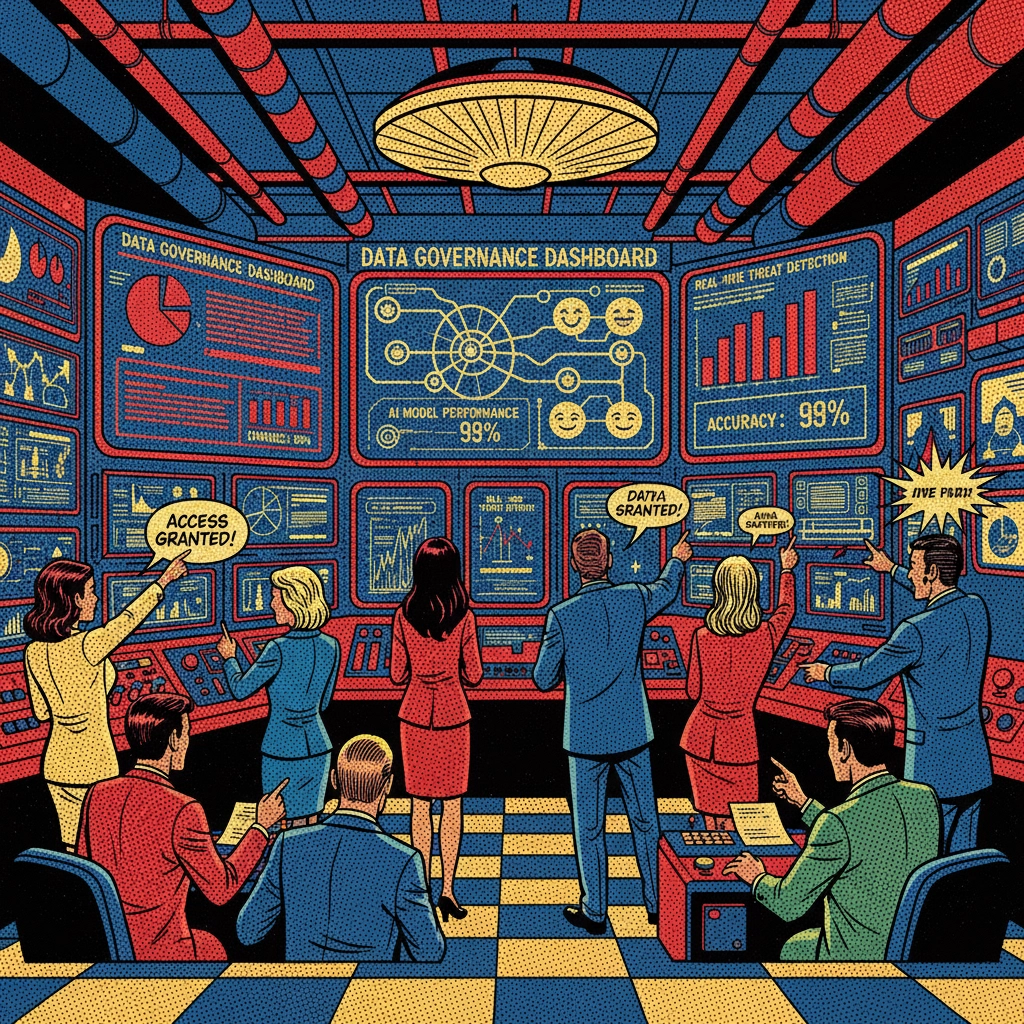
    Data Governance and Lineage: Organizations need complete visibility into data sources, processing methods, and model training datasets. Dell storage systems provide the architecture necessary for maintaining detailed data lineage records while ensuring secure access controls.

    Model Development Standards: Establishing consistent development practices ensures AI models meet organizational quality and ethical standards. Dell NVIDIA partnerships deliver the computing power necessary for thorough model testing and validation processes.

    Deployment Authorization: Clear approval processes for AI model deployment prevent unauthorized or inadequately tested systems from entering production environments. Dell AI servers provide the infrastructure reliability necessary for controlled deployment procedures.

    Performance Monitoring: Continuous monitoring of AI system performance, bias detection, and outcome evaluation requires robust infrastructure capable of processing large volumes of operational data. The Dell AI Factory ecosystem delivers this monitoring capability through integrated hardware and software solutions.

    Implementing Multi-Layered Security Architecture

    Security considerations for AI implementation extend beyond traditional cybersecurity measures to encompass model protection, data privacy, and intellectual property safeguarding. Organizations deploying Dell AI servers must implement comprehensive security strategies that protect against both external threats and internal vulnerabilities.

    The Dell AI Factory security approach encompasses hardware-level protection, network security, data encryption, and access control mechanisms. Dell PowerEdge servers incorporate built-in security features that provide foundational protection for AI workloads, while Dell NVIDIA solutions offer specialized security capabilities for AI model protection.

    Physical Security Measures: AI infrastructure requires protection against physical tampering and unauthorized access. Dell servers include tamper detection and secure boot capabilities that ensure system integrity from the hardware level upward.

    Network Security Integration: AI systems generate substantial network traffic during training and inference operations. Proper network segmentation and monitoring ensure AI workloads remain isolated from other organizational systems while maintaining necessary connectivity for operational requirements.

    Data Protection Protocols: AI implementations process sensitive organizational data that requires encryption both at rest and in transit. Dell storage solutions provide comprehensive encryption capabilities that protect data throughout the AI processing pipeline.

    Access Control and Authentication: Limiting access to AI systems and data requires robust identity management and authentication systems. Organizations must implement role-based access controls that ensure only authorized personnel can modify AI models or access sensitive data.

    image_2

    Optimizing Long-Term AI Performance and ROI

    Sustaining AI effectiveness requires continuous optimization of both infrastructure performance and model accuracy. Organizations utilizing Dell AI Factory components must implement systematic approaches to performance monitoring, capacity planning, and system optimization that ensure continued return on investment.

    Dell AI servers provide the computational foundation necessary for ongoing optimization activities. Regular performance analysis, capacity utilization monitoring, and predictive maintenance ensure AI infrastructure continues operating at peak efficiency throughout its operational lifecycle.

    Performance Benchmarking: Establishing baseline performance metrics enables organizations to track AI system effectiveness over time. Dell PowerEdge servers provide consistent computational performance that enables accurate benchmarking and trend analysis.

    Scalability Planning: AI workloads often experience significant growth in computational requirements as models become more sophisticated and data volumes increase. Dell storage and compute solutions offer the scalability necessary to accommodate growing AI demands without requiring complete infrastructure replacement.

    Resource Optimization: Maximizing utilization of AI infrastructure requires careful workload scheduling and resource allocation. The Dell AI Factory approach provides management tools necessary for optimizing resource utilization across multiple AI projects and organizational departments.

    Technology Refresh Planning: AI infrastructure requires periodic updates to maintain compatibility with evolving AI frameworks and increasing performance requirements. Dell NVIDIA partnerships ensure access to latest AI acceleration technologies while maintaining compatibility with existing infrastructure investments.

    Managing AI Ethics and Compliance Requirements

    Responsible AI deployment requires ongoing attention to ethical considerations and regulatory compliance requirements. Organizations across government, healthcare, and education sectors face unique compliance challenges that require specialized approaches to AI governance and management.

    The Dell AI Factory framework provides the infrastructure foundation necessary for implementing comprehensive compliance monitoring and reporting capabilities. Dell servers offer the computational resources required for bias detection algorithms, while Dell storage systems maintain the detailed audit trails necessary for regulatory reporting.

    Bias Detection and Mitigation: AI models can develop biases that affect decision-making accuracy and fairness. Regular bias testing requires substantial computational resources and comprehensive data analysis capabilities that Dell AI servers provide.

    Audit Trail Maintenance: Regulatory compliance often requires detailed records of AI decision-making processes, model training data, and performance metrics. Dell storage solutions offer the capacity and reliability necessary for maintaining comprehensive audit documentation.

    Ethical Review Processes: Regular ethical review of AI applications ensures continued alignment with organizational values and societal expectations. These review processes require access to detailed performance data and model behavior analysis that Dell infrastructure supports.

    Regulatory Adaptation: Evolving AI regulations require organizations to adapt their compliance approaches while maintaining operational continuity. The flexibility of Dell AI Factory components enables organizations to implement new compliance requirements without disrupting existing AI operations.

    image_3

    Continuous Improvement and Innovation Integration

    Successful long-term AI implementation requires systematic approaches to incorporating technological advances, improving model performance, and expanding AI capabilities throughout the organization. Dell AI Factory provides the foundation necessary for continuous innovation while maintaining operational stability.

    Organizations must balance the benefits of adopting new AI technologies with the risks of disrupting existing successful implementations. Dell PowerEdge servers and Dell storage solutions offer the reliability and flexibility necessary for implementing gradual improvements without compromising operational continuity.

    Technology Integration Planning: New AI frameworks, libraries, and methodologies emerge regularly, requiring careful evaluation and integration planning. Dell NVIDIA partnerships provide early access to cutting-edge AI acceleration technologies while ensuring compatibility with existing infrastructure.

    Performance Enhancement Strategies: Ongoing optimization of AI models and infrastructure requires systematic approaches to identifying improvement opportunities and implementing enhancements. The Dell AI Factory ecosystem provides monitoring and analysis tools necessary for continuous performance improvement.

    Knowledge Transfer and Training: Maintaining organizational AI capabilities requires ongoing staff development and knowledge transfer processes. Organizations must invest in training programs that keep technical staff current with evolving AI technologies and best practices.

    Innovation Partnership Development: Successful AI implementation often benefits from partnerships with technology vendors, research institutions, and other organizations. Dell’s extensive partner ecosystem provides access to specialized expertise and emerging technologies that enhance AI capabilities.

    Strategic Partnership and Expert Guidance

    The complexity of responsible AI implementation requires organizations to work with experienced partners who understand both the technical requirements and the broader strategic implications of AI deployment. Successful AI implementations combine robust infrastructure with expert guidance that ensures projects achieve their intended objectives.

    Organizations implementing Dell AI Factory solutions benefit from working with partners who possess deep expertise in AI infrastructure deployment, governance framework development, and ongoing optimization strategies. This partnership approach ensures AI investments deliver sustained value while meeting compliance and ethical requirements.

    The journey toward responsible AI implementation requires careful attention to governance, security, and long-term sustainability considerations. Organizations that invest in comprehensive frameworks, robust infrastructure, and expert partnerships position themselves for continued success in an rapidly evolving technological landscape. Through strategic implementation of Dell AI Factory solutions and ongoing attention to best practices, organizations can harness AI’s transformative potential while maintaining the responsibility and oversight necessary for sustainable success.

  • Unlocking the Value of Data for AI: The 7 Essential Steps (Dell AI Factory Series, Part 2)

    Unlocking the Value of Data for AI: The 7 Essential Steps (Dell AI Factory Series, Part 2)

    In the first part of this series, we explored why effective data management serves as the foundation for successful AI implementation across organizations. Now, we dive into the practical framework that transforms data from a scattered resource into a strategic asset: Dell’s seven-step methodology for unlocking data value in AI initiatives.

    This comprehensive framework, developed through extensive workshops and consultations by Dell’s expert data scientists with diverse organizations, addresses the most common challenges faced during AI implementation while providing proven strategies for creating scalable and effective AI models. Whether your organization operates in government, healthcare, education, or private sector environments, these steps provide a clear roadmap for transitioning from AI experimentation to transformational data utilization.

    The Seven-Step Framework for AI Data Management

    Step 1: Identify the Business Need

    The foundation of any successful AI implementation begins with clearly identifying the business need and aligning data efforts with strategic organizational objectives. Without well-defined goals and measurable metrics, achieving meaningful value from AI initiatives becomes unlikely.

    This initial step requires organizations to understand their operational objectives and the specific value that AI will unlock. Success demands alignment across departments and leadership teams on desired outcomes and how progress will be measured. Organizations must establish a clear vision of the value creation process, ensuring that all subsequent data management efforts remain purposeful and directed toward achievable objectives.

    For government agencies, this might involve improving citizen services or operational efficiency. Healthcare organizations may focus on patient outcomes or diagnostic accuracy. Educational institutions often prioritize student success metrics or administrative streamlining. Regardless of sector, this foundational clarity prevents costly diversions and ensures resources align with mission-critical priorities.

    image_1

    Step 2: Accelerate Relevant Data Discovery

    With a clear roadmap established, organizations can accelerate the discovery of data relevant to their specific objectives. This step recognizes a crucial principle: not all available data contributes to solving the identified problem, and data science teams must efficiently identify pertinent information.

    The process involves establishing clear connections between data sources and their potential value through comprehensive cataloging and metadata creation. This focused approach ensures efficiency in data efforts, saving time and resources by pinpointing relevant datasets swiftly rather than attempting to process every available data source.

    Modern Dell storage solutions play a crucial role here, providing the infrastructure necessary to catalog, search, and access distributed data sources efficiently. Organizations leveraging Dell PowerEdge servers with integrated AI capabilities can process discovery tasks more rapidly, reducing the time from data identification to actionable insights.

    Step 3: Simplify Data Exploration and Access

    Once relevant data sources are identified, organizations must ensure that data science teams can easily access and explore these resources. This step focuses on removing barriers that prevent efficient data analysis and experimentation.

    Data exploration requires robust infrastructure capable of handling various data types, formats, and volumes. Dell AI servers provide the computational power necessary for complex data exploration tasks, while Dell storage solutions ensure that data remains accessible without performance bottlenecks.

    Simplification also involves standardizing data access protocols, implementing consistent security measures, and providing intuitive interfaces for data scientists and analysts. Organizations should consider implementing data virtualization technologies that present unified views of distributed data sources, reducing complexity for end users.

    image_2

    Step 4: Optimize Analytics, ML Experimentation, and Modeling

    This step encourages continuous experimentation and modeling to identify variables capable of solving identified business problems. Organizations should embrace iterative approaches that test multiple hypotheses and refine models based on results.

    Synthetic data creation becomes particularly valuable here, especially when organizations face data quality or privacy challenges. This approach helps expedite AI development, particularly during initial phases when organizations are establishing their AI capabilities.

    Leveraging pre-trained foundational models that require only augmentation and fine-tuning provides an excellent starting point for many AI initiatives. Rather than building models from scratch, organizations can adapt existing frameworks to their specific needs, reducing development time and resource requirements.

    Dell NVIDIA partnerships provide access to optimized hardware and software combinations specifically designed for machine learning workloads. These solutions support multiple iterations and algorithms, enabling teams to uncover key data variables more efficiently while enhancing the effectiveness of generative AI applications.

    A platform approach that supports easy data access enables teams to optimize analytics through iterative testing and refinement, crucial for developing robust AI models that deliver consistent results.

    Step 5: Scale Data and Analytics Productization

    The transition from data science project to reliable, repeatable data science product represents a critical milestone in AI maturity. This step involves transforming experimental initiatives into production-ready solutions that operate independently and undergo periodic reviews for continuous improvement.

    Productization requires addressing scalability, reliability, and maintainability concerns that may not surface during experimental phases. Organizations must implement robust monitoring, error handling, and performance optimization measures to ensure AI products deliver consistent value over time.

    Dell AI Factory infrastructure supports this transition by providing enterprise-grade computing and storage resources capable of handling production workloads. The integrated approach of Dell servers and storage solutions ensures that AI products can scale seamlessly as organizational needs evolve.

    image_3

    Step 6: Automate Data Management and Governance

    Automation becomes essential as AI initiatives scale across organizations. This step focuses on implementing automated systems for data management and governance, ensuring consistency, compliance, and efficiency throughout the AI data pipeline.

    Automated governance includes data quality monitoring, compliance checking, access control management, and audit trail maintenance. These capabilities become particularly important for organizations in regulated industries such as healthcare, finance, or government sectors where data handling requirements are stringent.

    Modern Dell storage solutions incorporate automated data management features that help organizations maintain data quality and compliance without manual intervention. These capabilities include automated backup, replication, and lifecycle management policies that ensure data remains available and protected throughout its useful life.

    Step 7: Evaluate Business Outcomes

    The final step completes the feedback loop by measuring and evaluating the business impact of AI initiatives. This evaluation process connects back to the objectives established in Step 1, providing crucial insights for future AI investments and improvements.

    Outcome evaluation should encompass both quantitative metrics and qualitative assessments of AI impact. Organizations need to measure not only technical performance indicators but also business value creation, user satisfaction, and operational efficiency improvements.

    Regular evaluation cycles enable organizations to refine their AI strategies, identify successful patterns for replication, and address areas requiring improvement. This iterative approach ensures that AI investments continue delivering value and adapt to changing organizational needs.

    Integration with Dell AI Factory Infrastructure

    This seven-step framework integrates seamlessly with Dell’s AI Factory infrastructure, which combines upgraded servers, AI data platforms, and managed services to simplify enterprise AI deployment. The platform includes enhanced data capabilities such as Dell’s ObjectScale with S3 over RDMA support, which triples throughput, reduces latency by 80%, and cuts CPU usage by nearly 98% compared to standard approaches.

    These infrastructure enhancements directly support the data access and processing requirements outlined in the framework, enabling organizations to implement each step more effectively. Dell PowerEdge servers optimized for AI workloads provide the computational foundation necessary for complex analytics and modeling tasks.

    image_4

    The Path Forward

    This iterative process of testing, learning, and refining ensures that AI models remain robust and insights continue delivering actionable value. Organizations that embrace these principles position themselves to achieve sustained competitive advantage in an increasingly AI-driven landscape.

    The framework emphasizes continuous improvement and innovation throughout the AI journey, recognizing that successful AI implementation requires ongoing attention and refinement rather than one-time deployment efforts.

    For organizations beginning their AI journey or seeking to scale existing initiatives, understanding and implementing these seven steps provides a structured approach to data value creation. The combination of proven methodology and robust infrastructure creates the foundation for sustainable AI success.

    As organizations progress through this framework, they often discover that professional guidance and partnership can accelerate their journey significantly. Optrics Engineering works with organizations across government, healthcare, education, and private sectors to develop comprehensive AI implementation strategies that align with this proven methodology, helping transform AI aspirations into measurable business outcomes.

    In our final installment of this series, we will explore how organizations can build their AI Factory from concept to implementation, examining the infrastructure requirements and strategic considerations necessary for long-term AI success.